Run your lawn treatment business without the paperwork chaos

Scheduling, invoicing, customer management and route planning — built specifically for lawn care businesses.

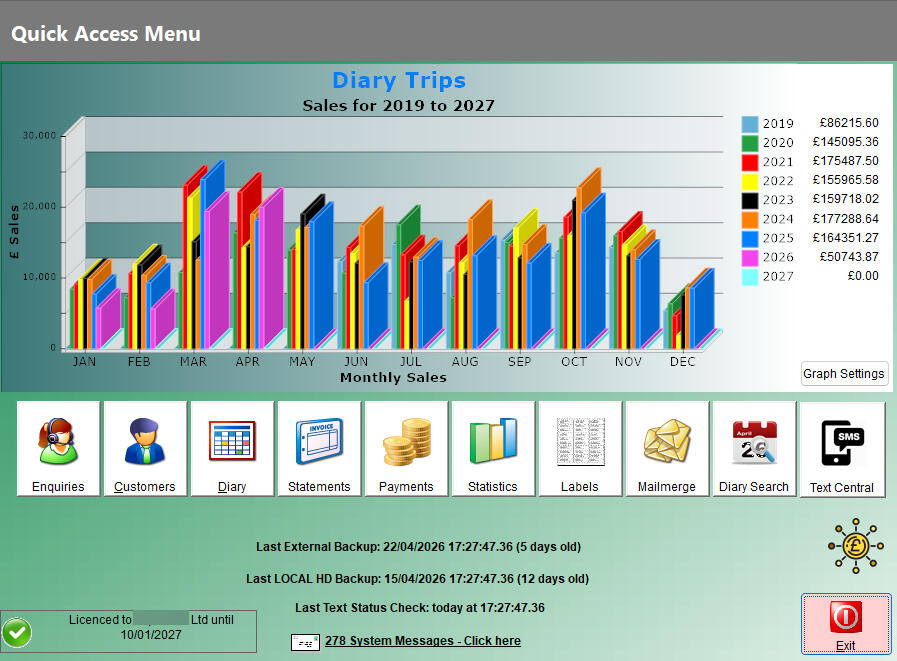
LawnPro helps independent lawn treatment businesses simplify scheduling, invoicing and customer management.✔ Manage recurring lawn treatments
✔ Plan daily routes
✔ Create invoices and track payments
✔ Keep all customer records in one place
Trusted by lawn care businesses for 15 years and built around real-world workflows.

Book a free demo

No obligation — we’ll simply show you how LawnPro works.


• Trusted to manage businesses with 50,000+ invoices

• Used by lawn care companies for over 20 years

• Proven with long-running real-world customer databases

• Handles scheduling, invoicing, payments and customer management at scale

Built from real feedback from working lawn care businesses

• Developed continuously alongside real users since the early 2000s

"We've used LawnPro since the early days of our business and it's been a key part of helping us grow. As our business expanded and franchised, LawnPro scaled with us, and continues to be an important part of our day to day operations"
— Andy Carr, Custom Lawn Care Ltd

“The LawnPro scheduling system has worked really well for me over the past 22 years.
I’ve seen far more expensive systems, but none come close to how LawnPro actually works in practice.
Sending calling cards and invoices is simple, and it fits naturally into the way I run my business.
Robin is always improving the system and open to suggestions.”
— Robert Martin, Top Lawn Limited


⭐⭐⭐⭐⭐
“I have been using LawnPro for over 20 years and it has become an essential part of running my business.Robin took the time to understand exactly what I needed and produced a bespoke solution which proved far more efficient and reduced the amount of paper required, ultimately saving me money.LawnPro has clearly been designed with operators in mind and is continually updated to reflect the changing needs of the industry.”
— Chris Joy, CJ Lawncare Ltd



“LawnPro has been a game-changer for my business. It completely solved the problem of messy, time-consuming invoicing and statements that were taking up far too much of my day.
Since switching, everything is so much smoother and more professional — I can send statements quickly and reliably, and the whole system just works as it should.
What I like most is how simple and intuitive the software is, combined with Rob’s excellent support. He’s always quick to help and genuinely cares about making the system work for my business. Highly recommended!
— Thomas Pincher, Total Lawn Care Limited

See LawnPro in action

Thanks — your demo request has been received.

We’ll be in touch shortly to arrange a quick walkthrough of Lawn Pro and answer any questions you may have.
Click to Close
Click to Close

LawnPro Features

LawnPro is designed specifically for UK lawn treatment businesses, helping manage diary planning, customer records, invoicing, communication, reporting and backups in one practical system.

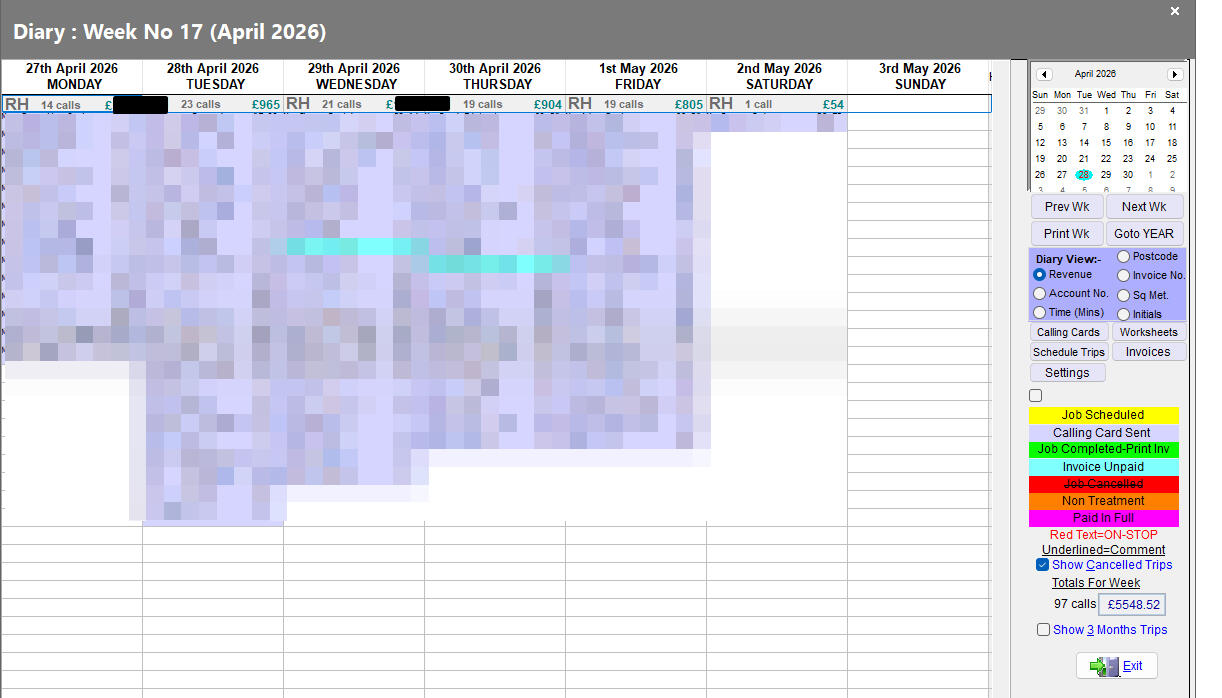
Diary & Scheduling

  • Drag/drop diary planning
  • Route optimisation
  • Multi-operator scheduling
  • Weather integration
  • Recurring visits
  • Start/finish route positions
  • Route balancing
  • Colour-coded statuses

Customer Management

  • Full customer history
  • Treatment records
  • Notes/messages
  • Multiple contacts
  • Site-specific instructions
  • Postcode/location handling

Invoicing & Payments

  • Invoice generation
  • Batch invoicing
  • Payment tracking
  • Outstanding balances
  • Online payment links
  • Export/import support
  • Xero compatibility/import workflows

Communication

  • SMS reminders
  • WhatsApp reminders
  • Email invoices/statements
  • Outlook integration
  • Message templates

Lawn Treatment Specific

  • Chemical records
  • Treatment tracking
  • Application history
  • Seasonal scheduling
  • Operator worksheets

Reporting & Management

  • Revenue summaries
  • Operator performance
  • Tomorrow’s workload
  • SMS credit monitoring
  • Business statistics

Backup & Security

  • Automatic backups
  • External drive backups
  • Local backup fallback
  • Backup support when needed
  • User permissions

Technical

  • Fast desktop application
  • Works offline
  • Designed for real lawn treatment businesses
  • Long-term customer data support
  • Tens of thousands of invoices handled

Proven in Real Businesses

  • Used by lawn treatment businesses for over 20 years
  • Some customers have created over 50,000 invoices
  • Designed specifically for UK lawn treatment companies
  • Built from real operator feedback
  • Ongoing active development
This clearly solves real operational problems.

News & Updates

2026

June 2026

New Features

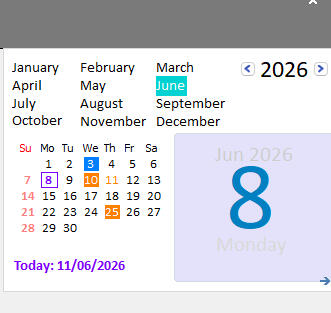
New Native Calendar Added

The diary calendar has now been replaced with a new native calendar built directly into LawnPro.

This provides a more modern and reliable calendar system, improves compatibility with recent Windows updates, and removes the dependency on older external calendar controls.

The new calendar also provides a better foundation for future diary and scheduling improvements.

Fixes

  • Fixed an issue where the diary grid could scroll to the right when Sunday had focus. This was introduced after the full-screen diary update.
  • Fixed an issue where pound signs were not displaying correctly when emailing debtor letters.

May 2026

New Features

  • WhatsApp appointment reminders added.
  • New diary right-click option for sending reminders.

Improvements

  • Improved postcode handling and validation.
  • Diary now goes full screen for larger resolutions.

Fixes

  • Fixed issue affecting some menu messages.

April 2026

Improvements


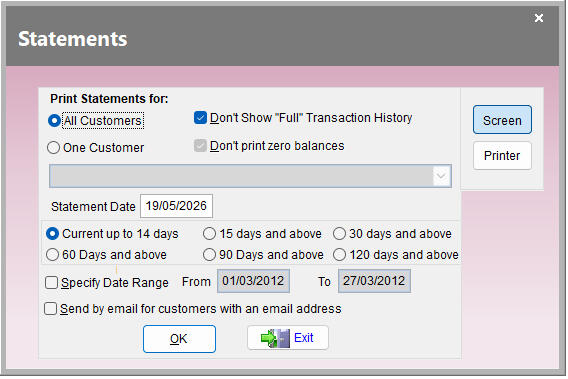
  • Statement Improvements
    Customer statements have been improved to provide a more accurate picture of what is actually owed on an account.
  • Accurate Handling of Credit Balances
    Statements now correctly take prepayments and account credit into consideration when calculating the balance due.
  • True Amount Due
    The Amount Due shown on statements now reflects the customer's true account position, including any credit held on account.
  • Clearer Customer Balances
    Customers who have paid in advance or have credit available will now see a more accurate balance, helping to reduce confusion and unnecessary payment queries.

March 2026

  • Duplicate Payments
    When entering a new payment, the software will alert you if you have entered a payment for the same customer, and amount
  • February 2026

  • Customer Prices for a trip
    You can now open a customer's prices directly from a trip in the diary by right-clicking the trip and selecting Customer Prices.

    Fixes

    • Fixed a crash that could occur when using the Find button on the Inactive Customers grid.

  • 2025

    July 2025

    New Features

    • When moving a full week of trips in the diary for an operator, it’s now possible to change the operator at the same time. This brings the feature in line with the existing Move Full Day option.

      June 2025

      Fixes

    • Fixed an issue where the “Mark Customer as Inactive” button on the Customer screen was not always working correctly.

      March 2025

      New Features

    • It’s now possible to disable the requirement to mark trips as Complete in the diary.

      The setting can be found in:

      Settings → System Details → General Tab

      Don’t mark trips as completed in diary (tick this option to enable).

      Fixes
    • Fixed an issue where not all background colours could be changed from the Diary Settings screen.
    • Fixed an issue where changing a background colour and then clicking Cancel would incorrectly change the colour to white instead of leaving it unchanged.

    2024

    November 2024

    New Features

  • The Statement Letter template now supports both Customer First name and Full name fields. Use the following placeholders in the Statement Letter Layout: Full Name

    Dear [CUSTOMER NAME]

    First Name

    Dear [CUSTOMER FIRSTNAME]

    The Statement Letter templates can be found in:

    Setup → System Details → Statements Tab → Statement Letter Layout

    There are separate templates for:

    HTML emails

    Simple text emails

    Both templates will need to be amended if you wish to use the new firstname option.

    May 2024

    New Features

    • For users who view the diary with all operators shown in one day, it’s now possible to move all trips for an operator for a single day.

      To do this, drag the operator’s grey heading to the new day required.
    • February 2024

      New Features

      • Bank Holidays are now displayed in the diary.

        The information is automatically taken from the official UK Government website:

        GOV.UK Bank Holidays

        • 10 days forecast increased to show 14 days

          Since the data is available I've tweaked the weather forecast to show the next 14 days in the diary. (Previously was set to 10 days)

        • Moving a single Trip in Diary

          The grid has been improved to show the nearest postcodes that you are going to visit in the next 2 weeks

          The grid now shows the distance in miles from the postcode area of the trip being moved, for each postcode you are going to visit in the next 2 weeks.

          The grid is ordered by the nearest postcode first etc.by milage, if any postcode cannot be found on the map, its miles value is set to zero

          Please note: this is as the crow flies and doesn't take into account the route you'd need to get there by van

    2023

    October 2023

    New Features

    Scheduling Trips

    If you schedule trips, whilst using the diary showing one person, the schedule grid defaults to that person as the operator